цифровой двойник строительство — 360space.ru

Digital twin of an object: what is it and why does a developer need it?

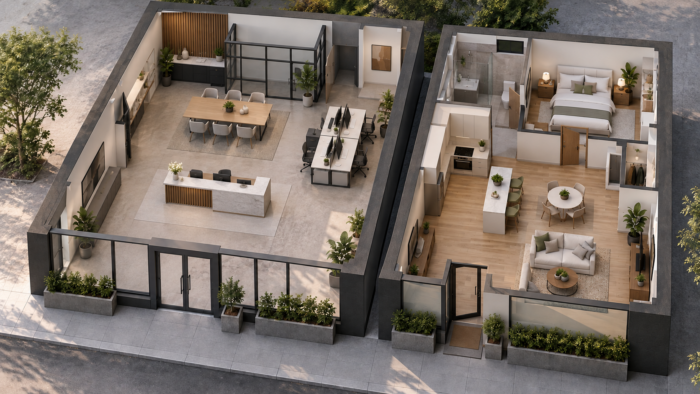
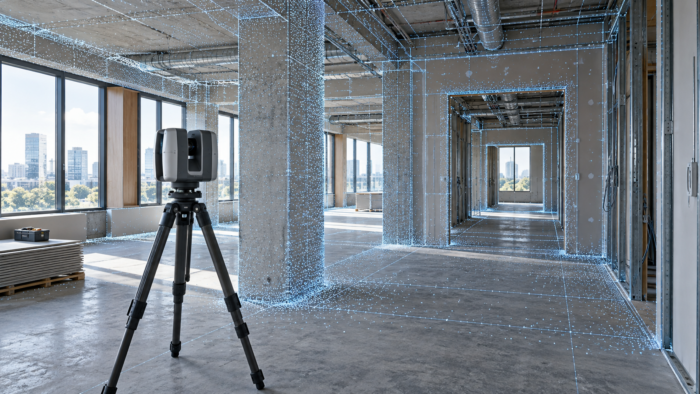
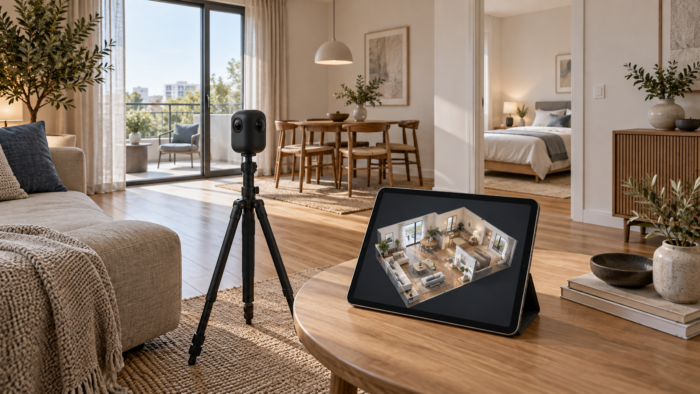
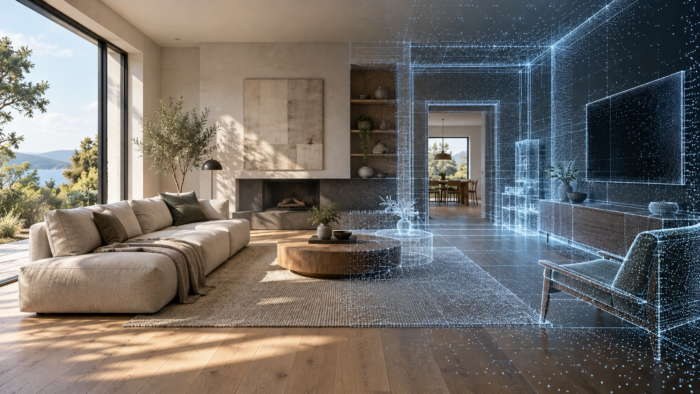
Digital twin of an object: what is it and why does the developer need it Briefly: A digital twin of an object is an exact 3D copy of a building with the ability to virtually walk through, take measurements and integrate BIM data. Developers use it for remote sales, construction control and work acceptance - reducing site visits by 60–70%. A digital twin in construction is an interactive 3D model of a real object, created from laser scanning and photogrammetry, in which you can move, measure distances and see structures with millimeter precision. Essentially, this is a “cast” of the building at a specific point in time, accessible through a browser from any device. The technology came to construction from industrial IoT and over the past five years has become a working tool for developers, general contractors and technical supervision. Below we will look at what problems a digital twin solves, how the shooting goes and how much it costs. Why does a developer need a 3D tour of the property? A digital twin solves several developer pain points at once - from sales to work acceptance. Specific benefits: Remote sales of apartments and commerce. The buyer walks through the actual layout from anywhere in the world. According to our client developers, the conversion into a deal from a 3D tour is 25–40% higher than from a regular photo gallery, and the number of “idle” impressions drops by 2–3 times. Recording hidden work. One pass with a scanner - and you have an archive of all utilities before covering with plasterboard. After 2 years, when renovating, you don’t need to break down the wall to find the riser. Construction control by stages. The weekly scan shows actual progress and discrepancies with the schedule. Technical supervision and the customer see the same picture without visiting the site - saving up to 8 hours per week per engineer. Reception and claims work. Accurate measurements directly during the tour record deviations from the project. The dispute with the contractor about “how it was delivered” is closed with one screenshot with the date. Marketing and investor presentations. The finished object is shown to the investor in 5 minutes instead of a two-hour visit. The tour is embedded on the website of the residential complex, in Avito, and in commercial rental offers. How is a digital twin of a construction site created? The process takes from one day for an apartment to a week for a residential complex. The stages are standardized: Operator departure with a Matterport Pro3 or Leica BLK360 scanner. The equipment makes 360° panoramas and a point cloud every 2–3 meters. Apartment 80 m² - about 1.5 hours of work, business center floor 1500 m² - one working day. Data processing. The point cloud is collected into a single model, marks, measurements, a floor diagram are added, and, if necessary, a connection with the BIM model in IFC format. Tour accommodation. The finished digital double is available via this link 24–72 hours after shooting. We offer three options for storing and delivering a tour: 360° Space cloud with high-speed servers and technical support; deployment on the customer's server - if security requirements prohibit external hosting; offline version for PC or a separate assembly for the Meta Quest or Pico VR headset - works without the Internet at exhibition stands and private presentations. The finished model opens in any browser, does not require plugins, supports sharing via a link with access rights, and is integrated into the developer’s CRM via API. See all projects → How much does a digital twin of an object cost? The price depends on the area, complexity of the geometry and accuracy requirements. Market guidelines: Apartment 40–100 m² - from 8,000 to 18,000 rubles for a ready-made tour with measurements and a floor plan. Cottage, office 200–500 m² - from 25,000 to 60,000 ₽. Residential complex floor, business center, warehouse 1,000–3,000 m² - from 80,000 to 200,000 rubles for filming and processing. Regular monitoring of construction - subscription model from RUB 40,000/month for weekly scans of one section. BIM integration, travel to another region and VR assembly are additionally paid for. Accurate calculation for your property using the cost calculator in 2 minutes. Frequently asked questions How is a digital twin different from a regular BIM model? BIM is a “how to be built” design model. A digital twin is an actual “as-built” slice created by scanning. They are linked: the BIM model is loaded on top of the scan, and all deviations are visible. Is it possible to rent a property at the rough construction stage? Yes, and this is one of the key scenarios. Scanning before covering the walls records all communications, reinforcement, and nodes. The archive is used during operation, repair and to resolve disputes with contractors. Does the tour work on a phone and in a VR helmet? Works in any modern browser on a PC, smartphone and tablet without installing applications. A separate version is being assembled for VR headsets Meta Quest, Pico, HTC Vive for presentations and showrooms. How long does a finished tour last? The storage period depends on the chosen placement format. On the 360° Space cloud we provide tour operation at a rate with technical support; on the customer’s server - as long as the customer’s infrastructure supports access; The offline version and VR build live on your hardware without a deadline. Calculate costProject catalogMatterport

Строительная площадка жилого высотного дома с башенным краном и бетонным каркасом

Construction monitoring with 3D tours: how developers save on control

Briefly: Construction monitoring through 3D tours reduces the developer’s travel expenses by 30–60% and records the actual condition of the object with an accuracy of 1 cm. One walkthrough with a Matterport camera replaces dozens of photo reports and provides a digital twin of the construction site, accessible from anywhere in the world. Construction monitoring 3D tours have turned from an expensive option into a standard of work for large developers and general contractors. The customer, technical supervision and designer gain access to the object through a browser - without going to the site. Regular filming every 1–4 weeks creates a chronology of construction with each element linked to coordinates and date. Below we look at why this format pays for itself already in the second month of operation. Why does a construction site need a 3D tour? Construction control through 3D tours solves five key tasks for developers and contractors: Savings on field trips - up to 60%. One air flight for technical supervision to the region costs 40–80 thousand rubles. A virtual walk-through replaces 8-10 business trips per quarter. Recording hidden work. Before closing the subfloor, routing communications and embedded parts, the survey maintains the exact position of each node. After 2 years, during repairs, the engineer sees the wire route in the wall in 5 seconds. Reduce disputes with the contractor by 70%. The shooting date is fixed in the metadata. If the scope of work is not completed, this is visible in the tour, and not in the controversial acts of KS-2. On-site measurements - error 1-2 cm. Matterport technology allows you to measure distances, areas and heights directly in your browser. The architect specifies the dimensions of the room without requesting the BTI. Sales at the pit stage - conversion + 25%. The buyer sees the actual progress of construction, not a rendering. Confidence in the developer is growing, and there are fewer refusals after making a reservation. How does this work in practice? The construction monitoring process with 3D tours takes place in three stages and does not require stopping work on site. 1. Filming. The operator comes to the site with a Matterport Pro3 camera or an equivalent. The crawl speed is about 200–400 m² per hour. An object of 5000 m² is rented in 1.5–2 working days. The camera records points in increments of 1.5–2.5 m, makes a 360° panorama at each point and shoots a LiDAR cloud of points. 2. Processing. After 12–48 hours, the server collects the data into a clickable 3D tour: first-person view, dollhouse mode (model of the entire building), floor plan with markings. Labels are attached to each point - comments from the foreman, photos of defects, links to project documentation. 3. Delivery to the customer. 360° Space provides three tour hosting options: 360° Space cloud with high-speed servers and technical support; customer server for developers with requirements for protecting trade secrets; offline version for PC or VR headset, working without the Internet - convenient for presentations to investors and inspections at a construction site without connection. The frequency of shooting is chosen by the customer: during the active stage - once every 1-2 weeks, during finishing - once a month. The archive of tours forms the timeline of the object: switching between dates shows progress for any period. View all projects → How much does construction monitoring with 3D tours cost? The price depends on the area, frequency of shooting and complexity of the object. Approximate ranges for construction projects: One-time survey up to 1000 m² - from 25,000 ₽. Suitable for fixing hidden work or accepting a stage. Object 1000–5000 m² — 40,000–90,000 RUR per shooting. The turnaround time for the tour is 2–3 days. Object 5000–20,000 m² - from 100,000 ₽. We often work under a subscription agreement with regular filming. Regular monitoring (once every 2 weeks) - package from 60,000 ₽/month, including archive storage and technical support. Large residential complexes and industrial facilities from 30,000 m² - the cost is calculated individually, it is possible to work with several teams in parallel. The payback for the developer occurs in 2–3 months: one canceled business trip of the project team or one won dispute with the contractor covers the quarterly package of filming. The exact calculation for your property can be found in the calculator on the website. Frequently asked questions Is it possible to photograph an object at the excavation and zero cycle stages? Yes. Filming begins from the moment the site is marked. In the early stages, external panoramic shooting with GPS reference is used, and with the appearance of walls, internal traversal with a Matterport camera is used. What if there is no internet on the site? The camera works autonomously - data is written to the built-in storage device. Upload to the server occurs later, when the operator returns to the office. 360° Space can also deliver an offline version of the tour to the customer’s PC - without connecting to the network. Who gets access to the tour and how is the data protected? Access is granted according to an email list with differentiation of rights. For secret objects, the tour takes place on the customer’s server—the data does not leave the company’s perimeter. Integration with corporate SSO is supported. Is it possible to do measuring work using a 3D tour? Yes. The accuracy of measurements in Matterport tours is 1–2 cm at a distance of up to 10 m. This is enough to check the geometry of rooms, control the thickness of the screed, and calculate the volume of finishing materials. Calculate costProject catalogMatterport

ошибки виртуальный тур квартира — 360space.ru

Top 5 mistakes when ordering a virtual tour for an apartment

The main mistakes during a virtual tour of an apartment are made by owners and realtors even before the operator arrives: they save on equipment, do not prepare the scene, and order filming from random contractors. According to the US National Association of Realtors (NAR), properties with a high-quality 3D tour sell 31% faster and receive 87% more views. But a poorly filmed tour works in the opposite direction - it scares off the buyer more than regular photographs. We look at five mistakes that turn an investment in filming into lost money, and explain how to book a tour correctly. Briefly: 5 main mistakes when ordering a 3D tour of an apartment - saving on equipment (smartphone instead of Matterport Pro3), unprepared stage, poor lighting, lack of branding and relying on the cheapest artist. A competent tour speeds up sales by 31% and reduces the number of empty views by 40%. Why does an apartment need a 3D tour and what benefits does it provide? A virtual tour is not just a pretty picture, but a conversion tool. Before sorting out mistakes, it is important to understand why you should invest in filming in the first place. +87% ad views - NAR statistics show that listings with a 3D tour receive almost twice as much attention as listings with regular photos. −40% of “empty” showings - buyers study the apartment online and come only if it really suits. A realtor saves 8-12 hours a week. Sales are 31% faster - the average exposure period for objects with a tour is reduced from 90 to 62 days. The price is 4–9% higher - the property is perceived as premium, and bargaining for it is smoother. Access 24/7 from anywhere - out-of-town and foreign buyers make decisions without a personal visit, which is critical for business and premium class apartments. How does filming a 3D tour work and what stages does the project go through? The process is simple and takes from 1 to 3 days depending on the area and complexity of the object. First, the manager agrees on the date, area and desired delivery format. Then the operator arrives at the site with a Matterport Pro3 camera or an analogue of the LiDAR class - shooting an apartment of 60–80 m² takes 1.5–2 hours, for 150–200 m² it takes 3–4 hours. The camera takes panoramas every 1.5–2 meters, automatically measures distances and builds an accurate 3D double of the room. After shooting, the data is processed on servers: gluing together panoramas, generating a Dollhouse view, a floor plan with dimensions and measuring tools. The finished tour is sent to the customer within 24–72 hours in one of three hosting formats: 360° Space cloud with technical support, deployment on the customer’s server, or offline version for PC and VR headset without the Internet. The latter option is convenient for closed screenings and working in places with a weak signal. What are the 5 most common mistakes made when ordering an apartment tour? Mistake 1. Shooting with a smartphone or action camera. Panoramas stitched from photos look like a photo collage: seams, geometry distortions, blurred corners. The buyer closes such a “tour” in 8 seconds. The Matterport Pro3 professional camera provides 134 MP panorama resolution and ±1% measurement accuracy. Mistake 2. Unprepared scene. The tour records everything: dirty dishes, hanging laundry, personal items on shelves, open trash cans. Unlike a photographer, a 3D tour operator cannot “take pictures from a different angle”—the camera sees 360°. Before filming, you need home staging: remove unnecessary things, straighten the bed, hide wires and personal documents. Mistake 3. Poor lighting. Shooting on a cloudy day or in the evening gives a gray, lifeless picture. The ideal time is 10:00–15:00 with clear skies. All curtains are open, the overhead and spot lights are turned on at the same time. Closed blinds and one chandelier on kill the perception of space - the room seems 20-30% smaller than its actual size. Mistake 4. Lack of branding and navigation. A naked tour without a logo, realtor contacts, floor plan and active points of interest (mattertags) is a missed opportunity. The buyer does not understand who to contact and goes to a competitor. A good tour includes a description of the layout in each room, a link to a mortgage calculator, and a “Schedule a Viewing” button. Mistake 5. Choosing a contractor with the lowest price. Dumping RUB 3,000–5,000 per apartment tour is almost always a sign of working on outdated Ricoh Theta or Insta360 ONE equipment. Such cameras do not build a real 3D double and do not provide accurate measurements and floor plans. The difference in quality with Matterport is immediately visible: a professional tour is easy to distinguish by the smoothness of movement, clarity of textures and the presence of the Dollhouse mode. See all projects → How much does a proper virtual tour of an apartment cost? The price of a 3D tour depends on the area of ​​the object, the complexity of the layout and the set of additional options. Approximate range for apartments in Moscow and St. Petersburg: Studio and 1-room (up to 40 m²) - from 7,500 ₽, term 1 day 2-3-room (40-90 m²) - from 11,000 ₽, term 1-2 days 4+ rooms or 90-200 m² - from 18,000 ₽, period 2–3 days Premium object 200+ m² - from 28,000 ₽, with extended post-production The price includes an on-site operator, shooting on Matterport Pro3, processing, hosting on the 360° Space cloud with technical support and basic branding. Additional fees include a floor plan in DWG format, a flythrough video for social networks, integration with the agency’s CRM system and integration with Cyan/Avito. The most convenient way to get an accurate estimate for your property is through an online calculator - it takes into account the area, location and urgency. Frequently asked questions How long does it take to shoot an apartment tour? For an apartment up to 80 m² - 1.5–2 hours on site plus 24–48 hours for post-processing. The finished link is sent to your email, the tour works immediately in the browser without installing applications. What needs to be done before the operator arrives? Remove personal belongings from surfaces, hide documents, straighten bed linen, wash floors and mirrors, open curtains, turn on all the lights. During filming, people and animals leave the apartment - the camera should not record movement. Is it possible to post a tour on the agency’s own website? Yes. 360° Space offers three delivery formats: hosting on our cloud with technical support, deployment on the customer’s server, and offline assembly for a PC or VR headset. The tour can be embedded into any page via an iframe or transmitted as a separate file. How is Matterport different from regular 360° photos? Matterport creates a true 3D twin of the room with ±1% measurement accuracy, Dollhouse mode (top view), automatic floor plan and the ability to measure any distance right on the tour. 360° photos are simply stitched together panoramas without geometry or measurements. Calculate costProject catalogMatterport

3д тур агентство недвижимости — 360space.ru

3D tour for a real estate agency: what's included, timelines, results

Briefly: a 3D tour for a real estate agency is an interactive virtual copy of the property, which the client inspects online. The average production time is 3–7 days, and the conversion of impressions to offline viewing increases by 2–3 times. The article contains a step-by-step launch plan: from the brief to publication on the agency’s website. A real estate agency uses a 3D tour as a tool for upselling lots, screening out non-target leads and working with regional buyers. This guide will be useful to heads of sales departments, agency marketers and private realtors who want to understand what exactly is included in the production of a tour, how long filming takes, what steps need to be taken from application to publication and what result should be included in the KPI. Below is a step-by-step plan for launching without water, based on the experience of 360° Space. Step 1. Why does the agency need a 3D tour and what problems does it solve? A virtual tour solves three sales problems: shows the apartment 24/7 without a realtor visiting, filters non-target clients (only those ready for a deal come to the offline showing) and expands the geography of buyers. According to partner agencies, a property with a 3D tour in the listing receives on average 49% more views and 87% more requests than its counterpart with a regular photoset. Before starting work, it is important to set a goal: speed up the sale of a specific lot, increase the average bill for agency services, or gain a foothold in the premium segment. The choice of equipment and the amount of metadata in the tour depend on this. Step 2. How to prepare the subject for shooting? Preparation takes 1–2 days and directly affects the quality of the tour. Checklist: remove personal items, documents and price tags, raise blinds, turn on all lights, remove pets, wipe mirrors and glass surfaces. If the object is empty, it is advisable to arrange basic furniture (home staging increases the perception of space). At the brief stage, the agency transmits to the operator the address, footage, access features and wishes for viewing points. At the same time, a convenient time is agreed upon - the shooting takes place in daylight, optimally from 10:00 to 16:00. Step 3. How long does the shooting last and what equipment is used? For residential properties, 360° Space uses Matterport Pro3 and Insta360 cameras. Time on site: apartment 40-60 m² - 1-1.5 hours, house 150-250 m² - 3-4 hours, commercial property up to 1000 m² - 1 working day. The operator adjusts the scanning points in 1.5-2 meter increments to build an accurate 3D model and smooth transitions between scenes. The output is a cloud of points + 134 MP panoramas, from which a tour with a dollhouse view, floor plan and measurements with an accuracy of 1% is collected. Step 4. What is included in the processing and assembly of the tour? Post-production takes 2–5 working days and includes: stitching together panoramas, color correction, removing the tripod and cameraman from the frame, adding information points (layout, size of rooms, finishing materials), branding the tour with the agency logo, adding a contact form and the “Order a showing” button. Additionally upon request: voice-over guide to the property, multilingual signatures for foreign buyers, integration with CRM (Bitrix24, AmoCRM) for automatic transfer of leads from the tour. Step 5. How to publish a tour and where to post it? 360° Space offers three options for storing and delivering the tour. The first is the 360° Space cloud: high-speed servers with technical support, the tour is available via a link and is embedded in an iframe on the agency’s website, CIAN, Avito and Domklik. The second is the customer’s server: the tour is deployed on the customer’s own infrastructure, which is suitable for large agencies with data storage requirements. The third is offline: a standalone version for PC or assembly for a VR headset, works without the Internet and is convenient for presentations in the office. The link to the tour is added to the site’s card on the portal, in the email newsletter, in WhatsApp to the client and in the QR code on the exterior sign at the site. Step 6. How to measure results and ROI? 30 days after publication, collect metrics: the number of views of the tour, the average session time (the norm is 3–5 minutes), the share of leads marked “watched the tour,” the conversion from impression to deal. For 360° Space partner agencies, the average time for exhibiting a lot is reduced by 30–40%, and the cost per lead drops due to filtering out non-target clients at the virtual inspection stage. The tour remains a working tool for 1–2 years - until the decoration or redevelopment of the object is changed. For archives and agency portfolio, keep an offline copy. Below are the latest real estate projects from the 360° Space portfolio: View all projects → What are the typical mistakes that agencies make when ordering a 3D tour? They remove an unprepared object. Personal items, scattered documents and poor lighting kill perception. The tour becomes an anti-advertising of the lot. Save on equipment. Tours from a smartphone and “panorama stitching” applications provide distorted geometry, without plans and measurements. The buyer does not trust such a picture. They do not integrate the tour into the sales funnel. The tour is a link on the website, but is not linked to CRM, there is no application form inside the stage, leads are lost. They do not update the tour after renovations or furniture changes. The discrepancy between the tour and the reality on display breaks trust and ruins the deal. Frequently asked questions How much does a 3D tour cost for a real estate agency? The cost depends on the footage, type of object and set of options (branding, CRM integration, VR version). It is convenient to calculate the exact price for your lot in the online calculator on the 360° Space website. How long does it take to complete a tour from application to publication? Standard period is 3–7 working days: 1–2 days for approval and filming, 2–5 days for processing and assembly. Rush production is possible within 24-48 hours. Is it possible to embed a 3D tour into a card on CIAN and Avito? Yes. The tour receives a direct link and an iframe code, which are accepted by all major real estate portals in the Russian Federation, and also work on the agency’s website and in instant messengers. What will happen to the tour if the agency leaves the contractor? 360° Space provides three storage options: company cloud, customer server or offline assembly. You choose the format to suit your needs and retain control over the content. Calculate costProject catalogMatterport

виртуальный тур или фото недвижимость — 360space.ru

Virtual tour vs photo: what to choose for an ad on Cian and Avito

Virtual tour or photo real estate - this choice faces every realtor and owner who prepares an ad on Cyan, Avito or Domklik. Text for those who sell or rent out apartments, houses, commercial premises and want to understand which visual format actually generates calls and views, and which one simply fills out a card. Let's look at both options based on facts: speed of preparation, budget, buyer behavior and conversion to impression. Classic photography - pros and cons Professional photos remain the basic format of classified images. On Cian and Avito, a card with 15–20 frames looks familiar and is indexed by the site search. Pros: low cost (from RUB 3,000 for a standard apartment), quick publication on the day of shooting, clear format for any audience, native support for all message boards. Pros: possibility of retouching, advantageous angles, emphasis on the strengths of the object - high ceilings, view from the window, decoration. Cons: photos show 5-10% of the real space, the buyer does not understand the layout and connection of the rooms. Cons: up to 40% of showings are canceled after an in-person visit - “it seemed bigger in the photo”, “it was not positioned like that”. Cons: the realtor wastes time on offline showings to clients for whom the property is not initially suitable. Virtual 3D tour - pros and cons A 3D tour based on Matterport or similar platforms is a complete digital copy of an object with point-to-point navigation, measurements and a dollhouse view. Pros: the buyer walks through the apartment in 3-5 minutes, sees all the corners, evaluates the layout and square footage without leaving. Pros: According to Matterport, listings with a 3D tour receive an average of 49% more bids and sell 31% faster. Pros: the tour operates 24/7, is convenient for out-of-town and foreign buyers - a common scenario for the premium segment and new buildings. Pros: screening out non-target views - only those who have already made a preliminary decision come to the offline screening. Cons: the cost of shooting above the photo is from 8,000 rubles for an apartment and from 25,000 rubles for a cottage. Cons: Cyan and Avito do not show a 3D tour directly in the card - you need an external link in the ad description. Cons: Tour accommodation required. 360° Space has three options: 360° Space cloud with technical support, deployment on the customer’s server, as well as an offline version for PC or assembly for a VR headset without the Internet. Comparison table: photo and 3D tour for an ad Criteria Photography 3D tour Cost, RUB 3,000 – 7,000 8,000 – 25,000 Preparation time 1–2 days up to 24 hours Object coverage Selective angles 100% of the space Understanding of the layout Weak Full, with measurements Target offline impressions ~60% reach ~85% reach Sales period Basic −31% by Matterport Placement on Cyan/Avito Native in the card Link in the description Our verdict: what to choose for a realtor and owner Do both formats together. Photos cover the requirements of the sites and the first contact in the feed, and the 3D tour works on the second screen - when the buyer opens the card and decides whether to waste time on checkout. According to our practice, the combination of “20 high-quality photos + a link to a 3D tour in the first line of the description” reduces the exposure period by 25–40% compared to ads with only photos. If your budget is limited, choose a format for the segment. For economy apartments up to 8 million rubles, professional photos are enough: the buyer will still go to see it in person. For lots over 12 million rubles, new buildings, country and commercial real estate, a 3D tour pays for itself from the first transaction: it removes the geographical barrier, saves dozens of hours on idle showings and increases confidence in the ad. For agencies and developers, 3D tours quickly turn into an asset: one captured object works in listings, presentations, mailings and on the website without repeated investments. At 360° Space, we deliver the tour itself to the customer and help them choose a delivery format - a cloud with technical support, the client’s infrastructure, or an offline version for display on a tablet right in the office. View all projects → Calculate costProject catalogMatterport

подготовка квартиры к 3д туру — 360space.ru

How to prepare an apartment for 3D tour photography: a checklist of 12 items

How to prepare an apartment for shooting a 3D tour: a 12-point checklist Preparing an apartment for a 3D tour directly affects the quality of the final tour. The Matterport Pro3 scanner captures literally everything - from dust on a shelf to a protruding wire under the TV. Go through this checklist the day before the shoot, and the tour will be clean, spacious and selling. Step 1: General cleaning Wipe off dust from all surfaces: window sills, shelves, kitchen units. Wash mirrors and glass surfaces - they are included in every panorama. Vacuum carpets and baseboards. Filming a 3D tour takes 1–3 hours, and during this time the scanner “sees” every centimeter. Step 2: Remove personal items and documents Family photos, children's drawings on the refrigerator, personal documents, medicines - all this reduces the neutrality of the space and distracts a potential buyer. Put away in drawers or cabinets. The exception is beautiful decorative items that add coziness: vases, books, plants. Step 3: Maximize Natural Light Open all curtains and blinds. Matterport Pro3 shoots in HDR, and the more natural light, the more voluminous and attractive the rooms look. If the windows face north or the tour is planned in the evening, add portable lamps of neutral white light (4000–5000 K). Step 4: Turn on all electric lighting Turn on chandeliers, sconces, kitchen lighting, LED strips - each light source adds depth to the photo. Check that no bulbs have burned out. Dark corners on a 3D tour look like “holes” in space. Step 5: Hide wires and equipment Place charging wires, extension cords, TV and computer cables behind furniture or tie them with cable ties. If the system unit, printer or other bulky equipment is not part of the interior, put it in the closet while filming. Step 6: Clear passages between rooms For a complete scan, the scanner must be positioned at several points in each room. Cluttered aisles create “blind spots”—unphotographed areas that will show up as gray spots on the tour. The width of the passage is at least 60-70 cm. Step 7: Prepare the toilets Close the toilet lids - an open lid looks sloppy on the 3D tour. Remove personal hygiene products (shampoos, toothbrushes). Hang fresh towels and put out decorative soap. A clean mirror in the bathroom is a must. Step 8: Arrange decor and fresh flowers Small details make the space “alive”: a vase of flowers on the dining table, a couple of throw pillows on the sofa, a beautiful book on the coffee table. Don't overload - 2-3 accent elements per room are enough. Step 9: Check the Balcony and Loggia Balconies often turn into storage. The day before the shoot, remove everything unnecessary from there, wipe the floor and railings. An open, neat balcony adds a feeling of spaciousness and is perceived as a bonus to the area. Step 10: Remove the car from the yard (if shooting with a facade) If the tour includes shooting a facade or entrance, remove the car from the parking lot in front of the house. Other people's cars block the view and “clutter up” the façade panoramas. Agree with your neighbors in advance if necessary. Step 11: Tidy up the entrance area Scanning begins at the front door. A clean rug, neat shoes on the shelf (no more than 2-3 pairs), a mirror without smudges - the first seconds of the tour form the impression of the entire object. What the buyer sees at the beginning of the virtual tour is what he will remember most. Step 12: Final walk-through 30 minutes before shooting Walk through the apartment again immediately before the 360° Space specialist arrives: turn on all the lights, remove accidentally left objects (keys, glasses, shopping bags), ventilate and close the windows. These 30 minutes are insurance against small details that will not be corrected later. See all projects → Typical mistakes when preparing for a shoot Leaving personal belongings in sight - the buyer is buying space, not someone else's life Do not check the lighting - a burnt out light bulb or closed curtains kill the depth of the frame Clutter the passages - the scanner will not be able to go around all the corners, blind spots will appear Forget about the balcony and bathrooms - these are the areas that most often turn out to be unprepared Calculate the cost Project catalogMatterport

Matterport download: what's available and what's not — honest breakdown

The request “matterport download” is entered by thousands of users every month - from realtors and developers to specialists in exhibitions and corporate presentations. Some people want to install an application for photographing objects, others are looking for a way to open a tour without an Internet connection, and others are hoping to find a desktop distribution of the platform itself. In fact, not everything that seems obvious is available. Below is an honest analysis: what really works, and where you have to look for a workaround. What you can download for free Matterport provides several official applications in the public domain: Matterport Capture (iOS and Android) is the main application for capturing space. Available for free on the App Store and Google Play. Works with Matterport Pro2, Pro3 cameras and smartphone. After shooting, the data is sent to the Matterport cloud for processing - this is where the final 3D tour is built. Matterport for VR is an application for viewing tours in Meta Quest (Oculus) VR headsets. Free download from the Meta Quest Store. Tours are downloaded from the cloud via a link or through the headset’s internal directory. View in browser - no downloads required. Any published tour opens in Chrome, Firefox, Safari or Edge via a direct link on any device. The fastest way to show the space to the client right now. What you won't be able to download Here it is important to set expectations in advance so as not to waste time on non-working scenarios: The Matterport platform is not installed as a program. Matterport is a cloud service: spatial data processing, tour rendering, storage and streaming take place on the company’s servers. There is no local distribution for Windows or macOS that works without a network connection. The only entry point is a web browser or the Capture mobile app. The finished tour cannot be downloaded to MP4 from the standard interface. Matterport provides video export (360° Video and Outside In View formats), but this feature is only available on paid Business plans and above. The result is a linear video rather than an interactive tour with navigation, points of interest and measurements. An offline copy of the tour is not provided in standard rates. The platform requires a constant connection to the cloud to download tour data. No Internet - no access. For exhibition stands, remote sites or corporate networks with limited access, this is a fundamental architectural limitation. How to get an offline version of a tour The task of “opening a tour without the Internet” can be solved - but not through downloading from the Matterport platform, but through the correct placement format at the stage of ordering a tour. The 360° Space company offers three storage and delivery options: Cloud 360° Space - the tour is hosted on the company’s high-speed servers with technical support. Available via link from anywhere in the world. Suitable for publishing on a website, newsletters, social networks and any tasks where there is a stable network connection. Customer's server - the tour is deployed on the client's own infrastructure. Full control over data and access rights. Optimal for companies with corporate security requirements, isolated networks or closed internal portals. Offline version - standalone build for PC or separate build for VR headset. Works completely without the Internet: runs from a USB drive, local drive or corporate server. It is this format that completes the “download tour” task: the assembly exists as a self-contained file, ready to work in any conditions - at an exhibition stand, in a showroom without Wi-Fi, on board an airplane or in an area without network coverage. Offline assembly is especially in demand for VR demonstrations at events, real estate displays on a laptop without a network, and corporate presentations in closed loops. How to share a tour without downloading For most tasks, downloading the tour is not necessary at all. Tours on the 360° Space platform support three main distribution methods: Embed code - insert the tour into a website or landing page via an iframe. The visitor interacts with a full-fledged interactive tour without leaving your page. Standard solution for real estate agencies, hotels and showrooms. Direct link - sent to messenger, email or support chat. Opens in the browser without installing applications on any device - from a smartphone to a corporate laptop. QR code - print and place at the point of sale, at an exhibition stand, in a booklet or on a banner. The client scans with a smartphone and finds himself inside the tour in seconds, without additional steps. See all projects → Do you need a tour that opens everywhere - on the website, on a tablet in the show room and at a stand without Wi-Fi? Calculate the cost or look at ready-made 360° Space projects - we will select the format to suit your task. Calculate costProject catalogMatterport

How much does a 3D tour for an apartment cost in 2026

How much does a 3D tour for an apartment cost in 2026? The cost of a 3D tour for an apartment in 2026 starts from 5,000 rubles and depends on the area of ​​the object, the number of shooting points and a set of additional options. A virtual tour has evolved from an expensive technology into a standard tool for home sales and rentals: it allows a potential buyer to “walk through” an apartment at any time without going to a viewing. According to Matterport, ads with a 3D tour receive 4 times more views than ads with only photos. If you want to sell or rent out an apartment faster, the numbers speak for themselves. Why does real estate need a 3D tour? Below are specific benefits confirmed by real estate market statistics. More views and targeted requests. Ads with a 3D tour get up to 300% more interactions compared to regular photos. A potential buyer spends 10-15 minutes with an object instead of 30 seconds when viewing a gallery - this directly affects the conversion into a call and a deal. Save time on physical showings. Up to 40% of non-target views are eliminated at the stage of the virtual tour: only really interested buyers come to the site. Agents who regularly use 3D tours reduce the cost of physical showings by an average of 35%. Remote transactions from other cities. The buyer studies in detail the layout, decoration, ceiling height and view from the window, being thousands of kilometers away. According to market estimates, up to 20% of transactions in Moscow and St. Petersburg are concluded remotely - a 3D tour makes this possible without loss of trust. Accurate floor-by-floor documentation without additional measurements. Matterport technology automatically builds a floor plan with an accuracy of 1% and creates a full-fledged 3D model of the object. This reduces the likelihood of disputes about the actual size of the premises and speeds up the preparation of documents for the transaction. Standing out from competitors in the listing. In 2026, 3D tours are present in less than 15% of ads on Cyan, Avito and Yandex.Real Estate. A property with a tour is perceived as a more transparent and prepared offer - especially in competitive market segments. How it works: shooting, timing, result Creating a 3D tour of an apartment takes from one working day. A specialist’s visit to the site takes from 1 to 3 hours, depending on the area. The 360° Space team works with professional Matterport Pro3 cameras: in one scanning session they build a full-fledged interactive 3D model of the room with photographic image quality. The process consists of four stages: Approval. We specify the date, scope of work and requirements for the result. We give recommendations for preparing the apartment: cleaning, proper lighting, removing unnecessary things from the frame. We leave at a convenient time, including weekends and holidays. Filming on site. The specialist places scanning points every 1.5-2 meters: for a studio or one-room apartment - 15-25 points, for a three-room apartment - 35-55 points. Each point is processed for about 30 seconds. The process does not disturb residents: the noise is minimal, and there is no need to rearrange furniture. Processing and publication. The data is uploaded to the Matterport cloud platform, where an interactive tour with navigation is automatically generated. A ready-made permanent link can be easily embedded on the agency’s website, in an ad on Cian or Avito, or in a presentation for a buyer. Additional options. Information labels with a description of the premises, a floor plan in PDF format, a short video from the tour for social networks and instant messengers, branding of the interface for an agency or developer. The tour is ready for publication 24–48 hours after filming. See all projects → How much does a 3D tour for an apartment cost? The cost of a 3D tour of an apartment in 2026 is formed from several components: the total area of ​​the property, distance from Moscow and a set of additional services. Basic prices 360° Space: Up to 50 m² (studio, one-room apartment) - from RUB 5,000. 50–100 m² (two-room, small three-room) - from 7,500 rubles. 100–200 m² (large three-room apartment, apartment, penthouse) - from 12,000 rubles. Over 200 m² (luxury housing, townhouse, mansion) - calculated individually. The base price includes: specialist visit, filming, data processing, tour publication and Additional charges: interface branding, PDF floor plan, video for social networks and travel outside the Moscow Ring Road (from 3 rubles/km). Discounts apply to package orders of 5 items or more. For real estate agencies and developers renting 10 or more properties per month, corporate conditions with a fixed price and priority departure are provided - check with the manager for details. Calculate the exact cost for your specific object using our calculator: indicate the area, type of object and the necessary options - the final price without hidden surcharges will appear in less than a minute. Calculate costProject catalogMatterport

Стройка жилого комплекса с кранами на закате

Virtual tour for new construction: how developers sell apartments online

A virtual tour for a new building today is a mandatory sales tool, and not a pleasant bonus: apartment buyers are increasingly making booking decisions without visiting the property. According to real estate market research, listings with interactive 3D tours receive 3.5 times more views than pages with only photos. Developers who have launched tours at the foundation pit or finishing stage have recorded an increase in online applications by 30–50%. This article will tell you how the technology works, what you can realistically expect from the investment, and how much it costs in practice. Why does real estate need a 3D tour? The primary home market is competitive: on average, a potential buyer views 12-15 properties before scheduling their first showing. A virtual tour allows a developer to be shortlisted before a competitor even answers the call. Here are five concrete benefits with numbers. Expanding the geography of buyers. From 35 to 45% of transactions with new buildings in large cities are concluded by buyers from other regions. A virtual tour allows them to explore the layout, finishes, views and common areas in detail - and make a decision before traveling. A client from Yekaterinburg buying an apartment in Moscow remotely is today the norm, not the exception. The load on the sales department is reduced to 40%. The client, who has completed the tour independently, comes to the meeting with specific questions: what material is on the floor in the kitchen, is there a built-in closet in this layout. Managers spend time negotiating and closing deals rather than basic floor plan orientation. Applications are received around the clock. The tour operates 24/7. According to our real estate clients, between 18 and 22% of targeted calls are received between 20:00 and 08:00. A family choosing an apartment on Sunday evening submits an application then - rather than waiting for the office to open on Monday. The decision-making cycle is reduced by 5 days. Developers who have integrated 360° Space tours into the property card on the website, on average, reduce the time from first contact to booking from 14 to 9 days. The buyer has already visually “lived” in the apartment before signing the contract - fewer doubts, faster decision. The technological advantage is still available. Among active developers of Russian cities with a population of over a million, less than 25% of companies offer full-fledged interactive 3D tours. Those who implement the technology now have a gap with competitors that will become an industry standard in 2-3 years. How it works: shooting, timing and results Creating a virtual tour for a property is a predictable process with a fixed result. No creative assumptions: the buyer sees exactly what is on site right now. The entire cycle is divided into four stages. Stage 1 - Route approval (1 business day). Before leaving, the 360° Space specialist agrees with the project manager on the composition of the premises: living rooms, kitchen, bathrooms, balcony, corridor, and, if necessary, lobby, elevator hall and parking. For residential complexes with several standard layouts, we record which apartments we rent first and how we organize the updating of tours as buildings are commissioned. Stage 2 - Shooting the object (1-4 hours). A specialist works with a professional-grade spherical camera. Standard two-room apartment with an area of ​​up to 70 m² - 1.5–2 hours. Apartments with panoramic glazing, non-standard layouts or detailed designer finishing - up to 3 hours. Large showrooms and demo apartments - up to 4 hours. From the developer's side: finishing work has been completed, lighting is on, construction debris has been removed. Stage 3 - Processing and assembly of the tour (2-5 working days). Viewpoints are stitched into a single space, navigation between rooms is configured. Upon request, interactive marks are added: room area, finishing material, link to the apartment card in CRM or an application form directly inside the tour. The final result is tested on smartphones of different sizes and in major browsers. Stage 4 - Publishing and integration (1 business day). The tour is hosted on 360° Space servers and embedded on the developer’s website using a standard iframe code - without the need to set up your own hosting or CDN. The tour opens correctly on mobile devices, supports VR helmets and direct links to individual rooms: it is convenient to send a specific room to the client in the messenger. For developers with several construction phases, tours are updated as the projects are ready: first we rent the showroom, then later we replace the tour with the final view with real finishing. A client who clicks on the link again sees the current state - without reworking the landing page. Total time frame: from application to publication - 5-7 working days for a standard object, 10-14 days - for a residential complex with several buildings and a set of layouts. See all projects → How much does a virtual tour cost for a new building? The price consists of three components: the area of ​​the object, the number of shooting points and a set of options - proprietary interface branding, interactive marks with the characteristics of the apartment, a built-in application form. Guidelines for basic packages: Apartment up to 80 m² - from 8,000 rubles Demonstration apartment, showroom 80–200 m² - from 15,000 rubles Residential complex package: several standard layouts + common areas - from 35,000 rubles Corporate package: several objects with updated tours - calculated individually When ordering at the same time From three objects there is a 15% discount. Hosting is included in the price for the first year; renewal - 2,500 rubles per year per object. In our practice, real estate tours pay for themselves on 1-3 additional transactions closed thanks to online viewing, even before the end of the first quarter after publication. Calculate costProject catalogMatterport