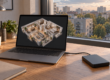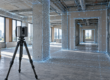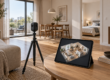

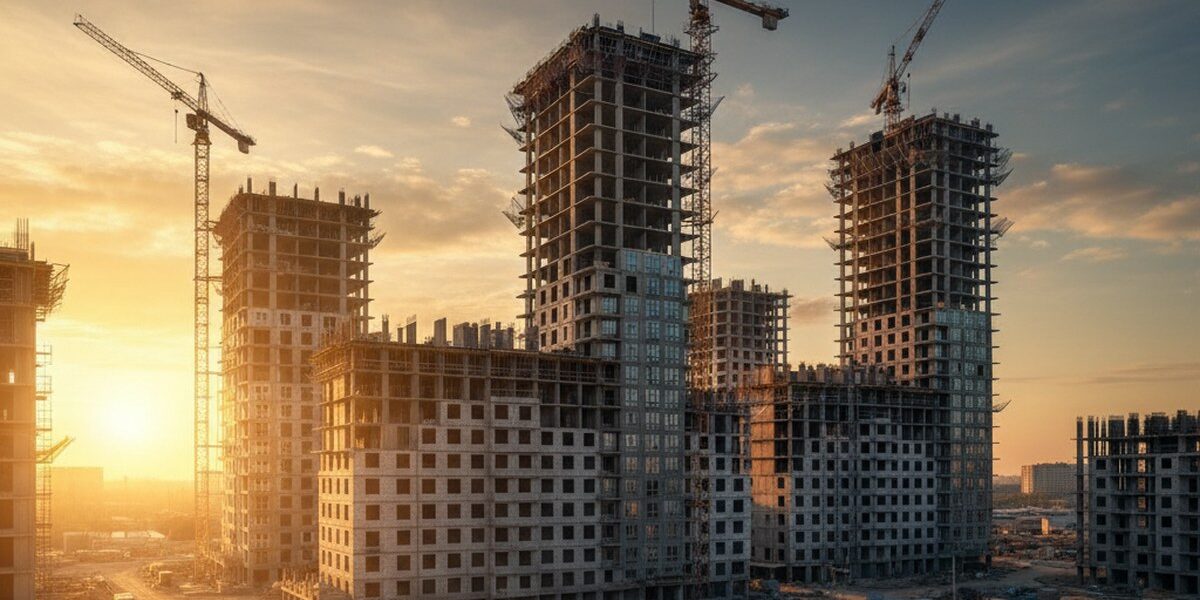
A virtual tour of a residential complex under construction is a sales tool that addresses the main pain point of a new build buyer: the inability to 'feel' an apartment that doesn't yet exist. This guide is useful for developers, sales department marketers, and real estate agencies. You will learn at what stage of construction to start shooting, how to assemble a tour from real premises and BIM models, what interactive elements increase lead conversion, and how to avoid mistakes that turn a tour into an expensive toy with no effect on revenue.
Why does a developer need a virtual tour before handing over the house?
According to NAR, 54% of home buyers skip properties without online visualization. In the new construction segment, the figure is higher: people are not willing to make an advance payment for a “render with a balcony in the clouds.” A virtual tour addresses three objections at once: it shows real views from windows by floor, allows walking through a typical layout at a 1:1 scale, and confirms that construction is indeed on schedule.
The sales department receives universal material for remote showings: a link is sent in a messenger, embedded in a card on Cian and Avito, and played on a tablet in the showroom. One virtual tour replaces dozens of site visits and works 24/7 — especially valuable for regional and international buyers.
Step 1. How to choose the right moment for shooting on a construction site?
The optimal windows are three. First: excavation and start of installation, to show scale and dynamics in marketing materials. Second: monolithic structure is ready, windows are installed, views from apartments are already real — this is the best moment for a 'view from the window by floor' virtual tour. Third: pre-finishing, when layouts are visible in their final geometry without furniture.
Filming in a hard hat and vest, coordinating access with the foreman 2–3 days in advance, choosing a dry day without precipitation — moisture on 360° equipment is critical. One day of filming covers 1–2 floors depending on the area and number of typical apartments.
Step 2. What equipment and technology are suitable for a residential complex?
For typical apartments and common areas, we use the Matterport Pro3 camera — it provides accurate room geometry, measurements with an error of up to 1%, a dollhouse view, and an automatic floor plan. For scenic points (balconies, roof, landscaping), we add shooting with a high-resolution 360° camera with HDR bracketing so that the window doesn't 'blow out' to white.
If the floor is not yet built, but a showing is needed – we assemble a hybrid: real rooms below + a 3D model of the upper floors from BIM. 360° Space can stitch both formats into one navigable virtual tour without a visual seam.
Step 3. How to process the virtual tour and add interactivity?
Raw scans are half the job. Conversion is driven by the interactive layer: pop-up tags with apartment areas and prices, a “shell / white box / finished” toggle, a “book this layout” button with CRM integration, an insolation scheme by hour, and the location of outlets and risers. A good practice is to add an audio guide from the architect for 30–40 seconds for the entrance group and scenic points.
Branding is mandatory: residential complex logo in the corner, developer colors in the UI, tour domain on a subdomain of the main site — for SEO and trust.
Step 4. Where to place the virtual tour so that it works for sales?
360° Space offers three storage and delivery options. The first is the 360° Space cloud: high-speed servers with technical support, the virtual tour opens in 2–3 seconds on any device, and we monitor uptime. The second is the client's server: the virtual tour is deployed on the developer's own infrastructure, which is important for large developers with information security requirements. The third is offline: a standalone version for PC in the sales department or a separate build for a VR headset for the showroom, working without internet.
Placement points: residential complex card on the developer's website, a separate landing page with UTM for advertising, cards on TsIAN/Domklik/Avito, QR code on a banner at the construction site, presentation in the project's Telegram channel.
Step 5. How to integrate the virtual tour with CRM and analytics?
A virtual tour without analytics is a blind spot. We connect Yandex.Metrica and GA4 with events: virtual tour opening, floor transitions, clicks on specific apartments, “book now” button presses. Via webhook, applications from the virtual tour are directly sent to amoCRM or Bitrix24, indicating which layout the client viewed and how much time they spent in the virtual tour. This provides the sales department with a ready-made script for the first call.
According to our data, the average time spent on a virtual tour of a residential complex is 4–7 minutes, and the conversion rate to an application from a warmed-up page is 3–5%, which is 2–3 times higher than a static gallery of renders.
Step 6. How to update the virtual tour as the house grows?
Construction takes 18–36 months — the virtual tour must grow with it. Update plan: reshoot key points quarterly, add new floors as they become ready, replace BIM sections with real scans, update window views seasonally. The buyer sees progress and is convinced that the developer is not hiding the construction — this removes the fear of a “long-term construction project.”
Final update – after commissioning: a virtual tour of a finished apartment with finishes becomes material for the secondary market and the developer's portfolio for subsequent projects.
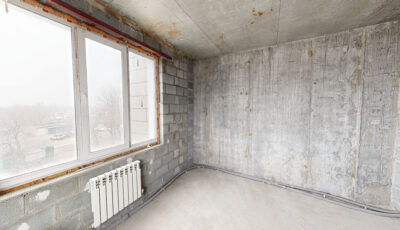
Examples of completed virtual tours of new buildings and construction sites:
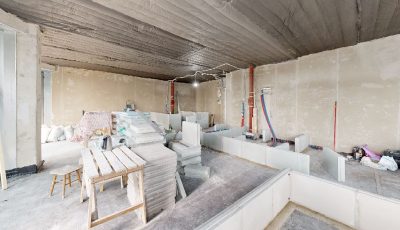
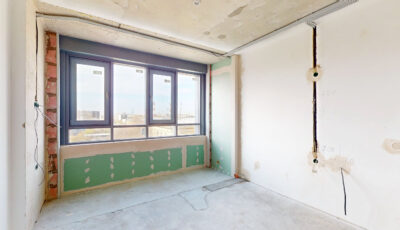
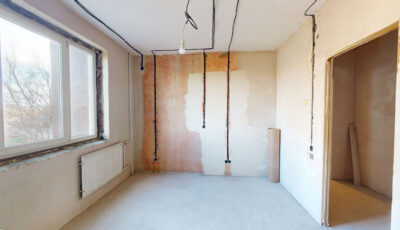
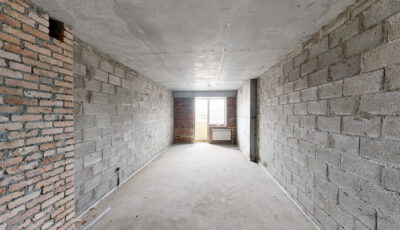
What mistakes most often kill the effect of a virtual tour?
- Only scan the finished show apartment. The buyer needs views from their floor and real construction progress, not one polished two-room apartment on the 5th floor.
- Hide the virtual tour in the basement of the site. The “Virtual Tour” button should be on the first screen of the residential complex card and in each floor plan, not in the “About Us” section.
- Do not update the virtual tour for six months. The buyer sees winter in August and loses trust — the construction seems frozen.
- Conduct a virtual tour without CTA and analytics. Without a 'book now' button and an event counter, you won't understand which floor plans are truly engaging, and you'll waste your budget on a pretty picture without sales.
Frequently asked questions
How much does a virtual tour of a residential complex under construction cost?
The cost depends on the area, number of floors and typical apartments, availability of a BIM model, and interactive elements. We will calculate an exact estimate for your object in the 360° Space calculator in 2 minutes.
At what stage of construction is it best to order a virtual tour?
Ideally – after window and facade installation: real views and apartment geometry are visible. For marketing at the start of sales, you can start earlier – with a BIM model + excavation site scanning, then update with real scans.
Can a virtual tour be embedded in a listing on Tsian or Domklik?
Yes. 360° Space provides a direct link and iframe code, which are accepted by all major real estate platforms, as well as social networks and messengers.
What happens to the virtual tour after the house is handed over?
The virtual tour remains a working tool: you choose one of three hosting formats — 360° Space cloud with support, deployment on your own server, or a standalone offline version for the sales department and VR showroom.
Order a 3D tour for your property
Leave your contact — we'll respond within 30 minutes and calculate the cost