

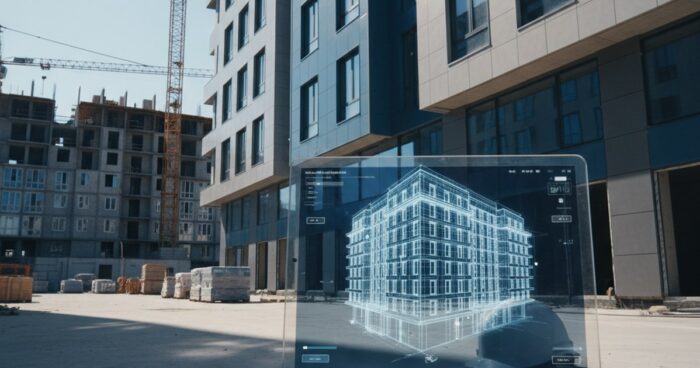
How a 3D virtual tour helps in accepting an object from a contractor
Briefly: Acceptance of an object 3D tour allows you to record every centimeter of construction before signing the acts, measure the premises remotely and prove deficiencies to the contractor. At a site in the Moscow region, such a tour saved the customer from overpaying 380 thousand for work that was not completed. Object acceptance 3D tour is a tool for the customer, technical supervision foreman and investor who receive the object from the contractor and want to record its real condition. The guide will be useful for those who are building a cottage, taking over an office for decoration, supervising the renovation of an apartment, or managing an industrial facility. Below are six steps that we have worked on dozens of construction sites, and a list of common mistakes during acceptance. Step 1. Remove the tour before the hidden work is closed. The main pain of acceptance is the hidden work. The screed is poured, the tiles are laid, the drywall is closed - and it is no longer possible to prove that there is no insulation underneath or that the wiring was not laid according to the design. A 3D tour solves it this way: filming is carried out in stages, before the next layer is covered with finishing. At least three control points: after rough installation of engineering (electrical, plumbing, ventilation), after screed and rough plaster, after finishing. At a 420 m² country house site in New Riga, we did five tours - the customer then checked every socket and pipe with the project, without leaving his work in Moscow. Step 2. Agree on fixation with the contractor Contractors are sometimes nervous when they learn about 3D filming. Therefore, it is better to write down the details in the contract in advance: the date of each tour, who pays, whose measurements are considered final. If this is not the case, add an additional agreement before the start of the stage. The very fact that the object will be captured by the Matterport scanner usually disciplines the team. At a construction site in Kazan, after the first round, the foreman himself asked for access to the link - in order to control his workers and not receive surprises at the reception. Step 3. Conduct the shoot correctly To make the tour suitable for acceptance, and not for a beautiful portfolio, three things are important. The first is the density of scanning points: at least every 2 meters, otherwise there will be blind spots. Secondly, filming of all technical niches: panel room, boiler room, attic, basement, shafts. Third, fixing the date and time with scan metadata. A measurement tour (Matterport Pro2 or Pro3) gives an accuracy of up to 1%. This means that on a wall 6 meters long the error is no more than 6 cm - enough for acceptance to catch any discrepancy with the project. Step 4. Check the tour with the design documentation Open the tour in the browser, next to it is the floor plan in PDF. Using the measurement tool, go through the rooms: the length of the walls, the height of the ceiling, the location of windows, the width of doorways. It’s immediately obvious where the contractor strayed from the project. One customer from Yekaterinburg found on the tour that the flight of stairs was assembled with a width of 84 cm instead of the designed 90. If this had been revealed after finishing, the alteration would have cost about half a million. At the rough installation stage, they disassembled and reassembled in a week. See all projects → Step 5. Make a list of comments with coordinates In the tour, each point has an address - coordinates inside the 3D model. This allows you to indicate in the defect report not “there is a crack in the bathroom”, but “bathroom on the 2nd floor, north wall near the box, scan No. 14.” The contractor will not be able to say “they didn’t find it” or “it was wrong.” We usually give the customer a link with the ability to leave marks directly on the tour - each note is highlighted and linked to a location. At an industrial facility of 1800 m², this format reduced the time to approve a defect from two weeks to three days. Step 6. Save the tour as evidence The tour after acceptance is legally significant evidence of the condition of the object on a specific date. If after six months a defect appears that the contractor refuses to recognize as covered by warranty, the tour will show whether this was already the case at the time of delivery. We have three storage options: 360° Space cloud with technical support and backup, deployment on the customer’s server (if this is a sensitive facility and the data should not go outside) or offline assembly - a standalone version on a flash drive for a PC or a separate assembly for a VR headset, works without the Internet. For acceptance they often use the cloud, for industrial facilities with NDA - the customer’s server, for archives in a safe - offline. Typical mistakes when accepting through a 3D tour One tour at the end. They only film the finished object and lose the opportunity to record hidden work. A minimum of three rounds of stages is required. Shooting with a phone or action camera. The result is a panorama without measurements and without reference to the plan. For reception, you need a scanner with lidar or structured light. No date in metadata. The contractor will say “this was removed after we handed over the object, the defect is yours.” The date and time of fixation should be in the tour itself, and not in the file name. The technical premises have not been removed. The boiler room, control room, inspection hatches often remain behind the scenes - and this is where the main jambs are later found. Remove everything, including the attic and crawl space. Frequently asked questions Will the court accept a 3D tour as evidence? Yes, if done correctly. The tour must be made by a certified scanner with the date recorded in the metadata, and the fact of filming must be recorded in an act with the signatures of the parties. We arrange such a package upon request. How much does a tour cost to accept a 500 m² object? Depends on the number of shooting stages and scanning density. One tour of 500 m² with measurements - from 35 thousand rubles, a complex of three surveys in stages - from 90 thousand. Accurate calculation of the object using a calculator. Is it possible to shoot without a contractor present? You can if you have access to the site. But we recommend inviting a representative of the contractor to the shooting and recording this in the act - then he will not be able to later dispute that the tour was done “at the wrong site” or “after our work.” Calculate costProject catalogMatterport