Matterport Dollhouse: вид сверху и его применение в продажах

Matterport Dollhouse: вид сверху и его применение в продажах

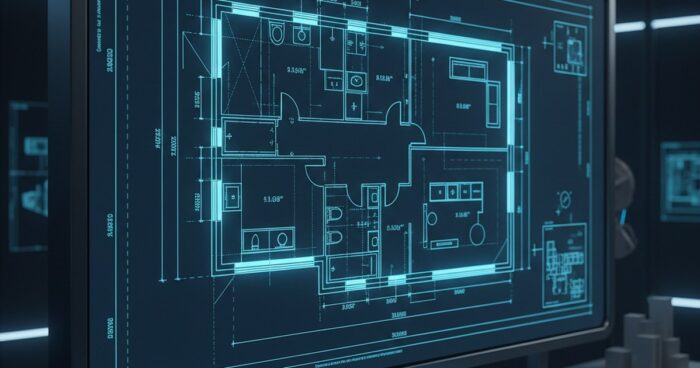
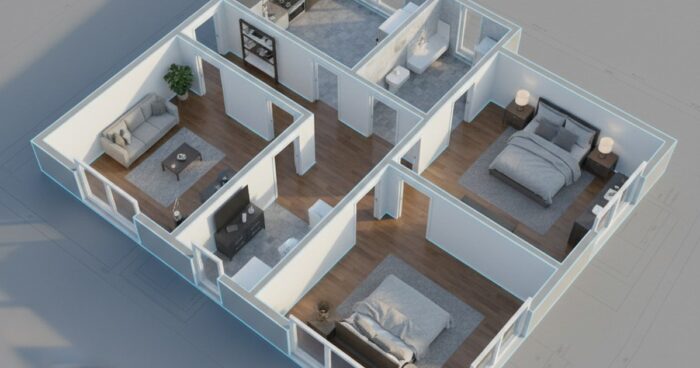
В современном мире технологий визуализация пространства стала ключевым фактором в различных отраслях, включая недвижимость, ретейл и гостиничный бизнес. Одним из инновационных решений в этой области является Matterport Dollhouse, позволяющий пользователям просматривать объекты в 3D-формате с видом сверху. Этот формат визуализации открывает новые возможности для продаж и презентации объектов, делая процесс более интерактивным и эффективным. Что такое Matterport Dollhouse? Matterport Dollhouse представляет собой уникальный вид визуализации объектов, при котором пользователь может просматривать пространство с видом сверху, как будто держит в руках кукольный домик. Этот формат позволяет клиентам получить полное представление о планировке и расположении помещений, что особенно важно при продаже недвижимости или при демонстрации крупных объектов. Применение в продажах Применение Matterport Dollhouse в продажах открывает широкие возможности для бизнеса. Во-первых, этот формат позволяет потенциальным клиентам детально осмотреть объект без необходимости физического присутствия, что особенно важно в условиях пандемии или при продаже объектов, расположенных в удаленных местах. Во-вторых, Matterport Dollhouse позволяет создавать более реалистичные и детализированные презентации, что может увеличить интерес и вовлеченность потенциальных клиентов. Преимущества Matterport Dollhouse Преимущества использования Matterport Dollhouse в продажах включают: Повышение вовлеченности клиентов: интерактивная визуализация объектов позволяет клиентам детально осмотреть пространство и получить более полное представление о его планировке и расположении. Увеличение количества просмотров: Matterport Dollhouse может увеличить количество просмотров объектов, что особенно важно для бизнеса, направленного на продажу недвижимости или других крупных объектов. Сокращение времени на осмотр: клиенты могут детально осмотреть объект без необходимости физического присутствия, что сокращает время на осмотр и увеличивает эффективность продаж. Практические советы по использованию Matterport Dollhouse Для эффективного использования Matterport Dollhouse в продажах следует учитывать следующие практические советы: Качество визуализации: качество визуализации должно быть высоким, чтобы клиенты могли детально осмотреть объект. Интерактивность: визуализация должна быть интерактивной, чтобы клиенты могли просматривать объект с разных углов и получать более полное представление о его планировке и расположении. Доступность: визуализация должна быть доступна для клиентов, чтобы они могли просматривать объект в любое время и с любого устройства. Вывод Мatterport Dollhouse является инновационным решением в области визуализации пространства, открывающим новые возможности для продаж и презентации объектов. Его применение в продажах может увеличить вовлеченность клиентов, количество просмотров и эффективность продаж. Для эффективного использования Matterport Dollhouse следует учитывать качество визуализации, интерактивность и доступность. Смотреть все проекты → Если вы заинтересованы в использовании Matterport Dollhouse для презентации ваших объектов, мы предлагаем рассчитать стоимость и узнать больше о наших услугах. Для этого вы можете воспользоваться нашим калькулятором или посетить каталог наших проектов. Рассчитать стоимостьКаталог проектовMatterport
Как работает Matterport: от сканирования до готового 3D-тура

Как работает Matterport: от сканирования до готового 3D-тура

В современном мире технологии развиваются стремительно, и одна из наиболее интересных и перспективных областей — это создание трехмерных туров и виртуальной реальности. Matterport — это одна из ведущих платформ, которая позволяет создавать высококачественные 3D-туры для различных объектов, от жилых помещений до коммерческих пространств. Но как же работает Matterport, и какие этапы проходит процесс создания 3D-тура? Давайте разберемся в этом процессе более подробно. Этап сканирования Первый этап создания 3D-тура — это сканирование объекта. Для этого используется специальное оборудование, такое как камера Matterport Pro или Pro2, которая оснащена лазерным дальномером и высококачественной камерой. Это оборудование позволяет создавать точные 3D-модели объектов, которые затем используются для формирования виртуального тура. Сканирование проводится в несколько этапов, в течение которых камера делает серию снимков и собирает данные о геометрии и текстуре объекта. Обработка данных После сканирования собранные данные обрабатываются специальным программным обеспечением, которое создает 3D-модель объекта. Этот процесс включает в себя стыковку отдельных сканов в единую модель, удаление лишних данных и корректировку геометрии и текстуры объекта. Обработка данных — это один из самых важных этапов, поскольку он определяет качество и точность конечного 3D-тура. Создание 3D-тура После обработки данных 3D-модель объекта используется для создания виртуального тура. Это включает в себя добавление интерактивных элементов, таких как точки обзора, информационные панели и другие функции, которые позволяют пользователю более детально изучить объект. 3D-тур также может быть дополнен дополнительными функциями, такими как виртуальная реальность (VR) и дополненная реальность (AR), что делает опыт еще более иммерсивным. Публикация и использование Готовый 3D-тур может быть опубликован на сайте или в социальных сетях, и также может быть использован для различных целей, таких как продажа или аренда недвижимости, презентация коммерческих пространств или демонстрация объектов культурного наследия. 3D-туры Matterport могут быть просмотрены на любом устройстве, поддерживающем веб-технологии, что делает их доступными для широкой аудитории. Преимущества Matterport Технология Matterport предлагает множество преимуществ, включая высокое качество 3D-моделей, простоту использования и широкий спектр возможностей для применения. 3D-туры Matterport могут быть использованы для повышения продаж, улучшения маркетинга и увеличения вовлеченности аудитории. Кроме того, они могут быть использованы для создания виртуальных экскурсий, тренингов и презентаций, что открывает новые возможности для бизнеса и образовательных учреждений. Смотреть все проекты → Если вы заинтересованы в создании 3D-туров для вашего бизнеса или объекта, мы приглашаем вас ознакомиться с нашим каталогом проектов и рассчитать стоимость создания 3D-тура с помощью нашего калькулятора. Наша команда готова помочь вам в создании высококачественных 3D-туров, которые будут соответствовать вашим потребностям и целям. Рассчитать стоимостьКаталог проектовMatterport
Matterport Pro3 vs Pro2: в чём разница для заказчика

Matterport Pro3 vs Pro2: в чём разница для заказчика

Современные технологии 3D-тур и виртуальной реальности открывают новые возможности для бизнеса, и компания «360° Space» уже несколько лет успешно внедряет их на рынке. Одним из ключевых инструментов для создания профессиональных 3D-турсов является камера Matterport. В этой статье мы рассмотрим разницу между двумя основными моделями камер — Matterport Pro3 и Matterport Pro2, чтобы помочь вам принять обоснованное решение при заказе услуги 3D-тур для вашего бизнеса. Введение в камеры Matterport Камеры Matterport предназначены для создания высококачественных 3D-моделей реальных объектов, что особенно полезно для бизнеса в сфере недвижимости, гостиничном бизнесе, розничной торговле и других отраслях, где визуализация объекта имеет большое значение. Эти камеры используют технологию лазерного сканирования для создания точных 3D-моделей, что позволяет пользователям совершать виртуальные прогулки по объекту. Характеристики Matterport Pro2 Matterport Pro2 — это предыдущая модель камеры, которая уже доказала свою эффективность в создании 3D-турсов. Она оснащена лазерным сканером, способным создавать высокодетализированные 3D-модели с точностью до 1-2 см. Matterport Pro2 может сканировать объекты размером до 10 000 квадратных метров, что делает ее подходящей для большинства коммерческих и жилых объектов. Характеристики Matterport Pro3 Matterport Pro3 — это новая, улучшенная модель, которая предлагает еще более высокое качество сканирования и расширенные возможности. По сравнению с Pro2, Pro3 имеет более высокую скорость сканирования, что значительно уменьшает время, необходимое для создания 3D-модели. Кроме того, Matterport Pro3 оснащена новой системой освещения, которая улучшает качество сканирования в условиях низкой освещенности. Сравнение Matterport Pro3 и Pro2 При выборе между Matterport Pro3 и Pro2, следует учитывать такие факторы, как размер объекта, необходимое качество сканирования и бюджет проекта. Matterport Pro3 предлагает более высокое качество и более быструю скорость сканирования, что может быть более подходящим для крупных или сложных объектов. Matterport Pro2, с другой стороны, остается хорошим выбором для более небольших проектов или когда бюджет ограничен. Вот некоторые ключевые различия в цифрах: Скорость сканирования: Matterport Pro3 — до 10 раз быстрее, чем Pro2. Разрешение сканирования: Matterport Pro3 — более высокое разрешение, что обеспечивает более детализированную 3D-модель. Диапазон сканирования: обе модели могут сканировать объекты размером до 10 000 квадратных метров, но Pro3 может обрабатывать более сложные пространства. Заключение и рекомендации В заключении, выбор между Matterport Pro3 и Pro2 зависит от конкретных потребностей вашего проекта. Если вы ищете высокое качество сканирования, быструю скорость и готовы инвестировать в лучшее, то Matterport Pro3 — лучший выбор. Для более небольших проектов или когда бюджет является основным фактором, Matterport Pro2 остается хорошим вариантом. Смотреть все проекты → Если вы заинтересованы в создании 3D-турсов для вашего бизнеса, мы приглашаем вас ознакомиться с нашими услугами и проектами. Наша команда экспертов готова помочь вам в создании высококачественных 3D-моделей, которые соответствуют вашим потребностям и бюджету. Рассчитать стоимостьКаталог проектовMatterport
3D-тур для аренды: как сдать квартиру быстрее и лучшим арендаторам

3D-тур для аренды: как сдать квартиру быстрее и лучшим арендаторам

В современном мире аренда недвижимости стала обычным явлением. Многие люди предпочитают арендовать квартиры или дома, а не покупать их. Однако, сдача квартиры в аренду может быть достаточно сложной задачей, особенно если вы хотите сдать ее быстрее и лучшим арендаторам. Одним из эффективных способов решить эту проблему является создание 3D-тура объекта недвижимости. Что такое 3D-тур и как он может помочь в аренде? 3D-тур — это виртуальная экскурсия по объекту недвижимости, которая позволяет потенциальным арендаторам осмотреть квартиру или дом без необходимости физически посетить его. Это может быть особенно полезно для людей, которые находятся в другом городе или стране, и не могут посетить объект лично. 3D-тур может быть создан с помощью специального оборудования и программного обеспечения, и может включать в себя фотографии, видео и другие мультимедийные элементы. Преимущества 3D-тура для аренды недвижимости Создание 3D-тура объекта недвижимости может иметь несколько преимуществ для арендодателей. Во-первых, это может увеличить количество потенциальных арендаторов, которые будут заинтересованы в аренде квартиры или дома. Во-вторых, 3D-тур может помочь арендодателям сэкономить время и средства, которые бы они потратили на показ объекта недвижимости потенциальным арендаторам. В-третьих, 3D-тур может помочь арендодателям привлечь лучших арендаторов, которые будут более ответственными и надежными. Увеличение количества потенциальных арендаторов Экономия времени и средств Привлечение лучших арендаторов Как создать 3D-тур для аренды недвижимости? Создание 3D-тура объекта недвижимости может быть достаточно простым процессом, если вы имеете необходимое оборудование и программное обеспечение. Во-первых, вам необходимо сделать фотографии и видео объекта недвижимости с помощью специального оборудования, такого как камера или смартфон. Затем, вам необходимо использовать программное обеспечение для создания 3D-тура, которое может включать в себя такие функции, как виртуальная экскурсия, интерактивные элементы и другие. Советы для создания эффективного 3D-тура Чтобы создать эффективный 3D-тур, вам необходимо учитывать несколько важных факторов. Во-первых, необходимо сделать высококачественные фотографии и видео объекта недвижимости. Во-вторых, необходимо использовать программное обеспечение, которое позволяет создать интерактивные элементы и виртуальную экскурсию. В-третьих, необходимо убедиться, что 3D-тур легко доступен и просматривается на различных устройствах. Высококачественные фотографии и видео Использование программного обеспечения для создания интерактивных элементов Доступность и просматриваемость на различных устройствах Смотреть все проекты → Если вы хотите сдать свою квартиру или дом в аренду быстрее и лучшим арендаторам, создание 3D-тура может быть эффективным способом решить эту проблему. С помощью 3D-тура, вы сможете увеличить количество потенциальных арендаторов, сэкономить время и средства, и привлечь лучших арендаторов. Чтобы узнать больше о том, как создать 3D-тур и как он может помочь вам в аренде недвижимости, вы можете посетить наш сайт и ознакомиться с нашими услугами. Рассчитать стоимостьКаталог проектовMatterport
Виртуальный тур ЖК: как застройщики снижают нагрузку на отдел продаж

Virtual tour of residential complexes: how developers reduce the burden on the sales department

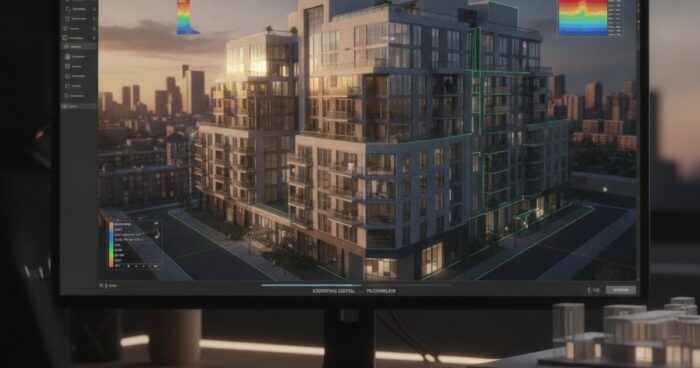
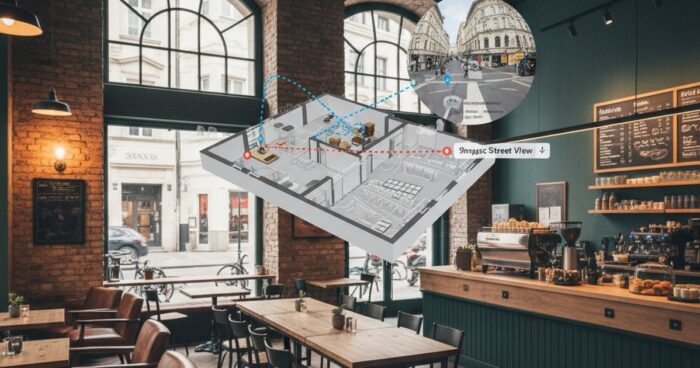
В современном рынке недвижимости застройщики постоянно ищут новые способы снижения нагрузки на отдел продаж и повышения эффективности продаж. Одним из наиболее перспективных решений в этой области является использование виртуальных туров для жилых комплексов (ЖК). Этот инновационный подход позволяет потенциальным покупателям просматривать объекты недвижимости в режиме реального времени, без необходимости физического присутствия на месте. В этой статье мы рассмотрим, как виртуальные туры могут помочь застройщикам оптимизировать процесс продаж и улучшить взаимодействие с клиентами. Преимущества виртуальных туров для ЖК Виртуальные туры предлагают целый ряд преимуществ для застройщиков и потенциальных покупателей. Во-первых, они позволяют клиентам получить более детальное представление об объекте недвижимости, включая планировку, дизайн и расположение помещений. Это помогает снизить количество ненужных просмотров и фокусироваться на действительно заинтересованных покупателях. Кроме того, виртуальные туры могут быть доступны 24/7, что делает процесс продаж более гибким и удобным для клиентов. Для застройщиков виртуальные туры также представляют собой эффективный инструмент для снижения нагрузки на отдел продаж. Поскольку потенциальные покупатели могут просматривать объекты недвижимости онлайн, сотрудники отдела продаж могут сосредоточиться на работе с наиболее перспективными клиентами, что повышает эффективность продаж и снижает расходы на маркетинг и рекламу. Как виртуальные туры работают Виртуальные туры создаются с помощью специального оборудования и программного обеспечения, которое позволяетcapturer и обработать трехмерные данные об объекте недвижимости. Полученная информация затем используется для создания интерактивного онлайн-тура, который можно просматривать на компьютере, смартфоне или планшете. Этот тур позволяет пользователям перемещаться по объекту недвижимости, просматривать различные помещения и получать дополнительную информацию об объекте. Одним из наиболее популярных технологий для создания виртуальных туров является Matterport. Эта технология позволяет создавать высококачественные 3D-модели объектов недвижимости, которые можно просматривать в режиме реального времени. Matterport также предлагает целый ряд инструментов и функций, которые помогают застройщикам и агентам по недвижимости оптимизировать процесс продаж и улучшить взаимодействие с клиентами. Практические советы для застройщиков Если вы застройщик, рассматривающий возможность использования виртуальных туров для своего ЖК, вот несколько практических советов, которые помогут вам начать: Определите цели и задачи использования виртуальных туров. Какую нагрузку на отдел продаж вы хотите снизить? Какие преимущества вы хотите получить для своих клиентов? Выберите подходящую технологию для создания виртуальных туров. Matterport является одним из наиболее популярных и эффективных решений на рынке. Разработайте стратегию интеграции виртуальных туров в ваш процесс продаж. Как вы будете использовать туры для привлечения потенциальных покупателей и снижения нагрузки на отдел продаж? Примеры успешного использования виртуальных туров Есть много примеров успешного использования виртуальных туров в сфере недвижимости. Например, некоторые застройщики сообщают о снижении нагрузки на отдел продаж на 30-40% после введения виртуальных туров. Другие застройщики отмечают повышение эффективности продаж и снижение расходов на маркетинг и рекламу. Одним из наиболее интересных примеров является использование виртуальных туров для продажи объектов недвижимости на стадии строительства. Это позволяет потенциальным покупателям просматривать объекты недвижимости до их окончательного строительства, что помогает снизить риски и неопределенности, связанные с покупкой недвижимости на стадии строительства. Выводы Виртуальные туры представляют собой перспективное решение для застройщиков, стремящихся снизить нагрузку на отдел продаж и повысить эффективность продаж. Используя технологии, такие как Matterport, застройщики могут создавать высококачественные 3D-модели объектов недвижимости, которые можно просматривать в режиме реального времени. Это помогает потенциальным покупателям получить более детальное представление об объекте недвижимости и снижает количество ненужных просмотров, что в конечном итоге приводит к повышению эффективности продаж и снижению расходов на маркетинг и рекламу. Смотреть все проекты → Если вы заинтересованы в том, чтобы узнать больше о виртуальных турах и их применении в сфере недвижимости, мы приглашаем вас посетить наш каталог проектов или рассчитать стоимость создания виртуального тура для вашего ЖК. Наша команда всегда готова помочь вам найти наиболее эффективное решение для ваших бизнес-целей. Рассчитать стоимостьКаталог проектовMatterport
Matterport для студии и малогабаритки: как показать пространство выгодно

Matterport for studios and small spaces: how to show space profitably

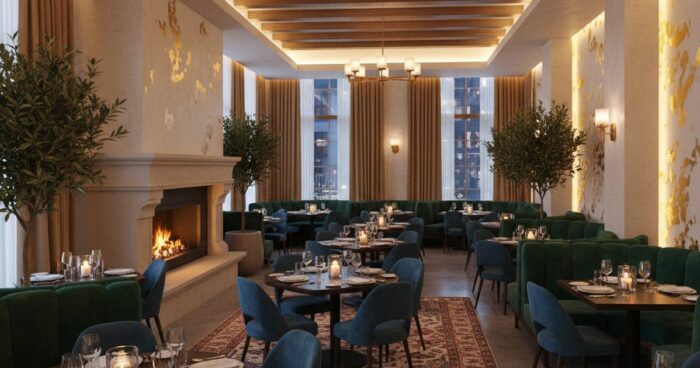
Home buyers and renters often face the challenge of estimating the size and layout of a space from photographs. This is especially true for studios and small apartments, where every square meter counts. To showcase a space to your advantage and give potential buyers or tenants a complete picture of the property, you can use Matterport technology. What is Matterport? Matterport is a 3D virtual tour technology that allows users to tour properties in real time. With Matterport, you can create a detailed and interactive model of a room, including everything from the layout to the texture of the walls and flooring. This technology is especially useful for studios and small apartments, as it allows potential buyers or renters to evaluate the size and layout of the space, and see how the available space can be used. Benefits of Matterport for Studios and Small Apartments There are several benefits to using Matterport for studios and small apartments: Increased engagement with potential buyers or tenants: 3D Virtual Tours allow users to explore a property in real time, increasing their engagement and interest in the property. Reduce viewings: Matterport allows potential buyers or renters to evaluate a property remotely, reducing viewings and saving time. Improved understanding of layout and dimensions: 3D virtual tours provide an accurate understanding of the layout and dimensions of a property, which helps potential buyers or tenants evaluate a property more accurately. How to Create a 3D Virtual Tour Using Matterport Creating a 3D virtual tour using Matterport is a relatively simple process. To do this, you need to: Gather the necessary equipment: To create a 3D virtual tour, you need special equipment, such as a Matterport Pro or Pro2 camera. Take photos and scan the space: The Matterport camera takes photos and scans the space, creating a detailed and accurate model of the room. Process and mount data: The received data is processed and edited in Matterport software, creating a 3D virtual tour. Tips for Creating an Effective 3D Virtual Tour To create an effective 3D virtual tour, you need to follow beberapa's tips: Make sure the property is clean and ready to shoot: Make sure the property is clean and ready to shoot to get the best results. Use good lighting: Good lighting can greatly improve the quality of your 3D virtual tour. Take multiple photos from different angles: Take multiple photos from different angles to give potential buyers or renters a complete picture of the property. Examples of successful use of Matterport Matterport is already used by many companies and individuals to display properties. For example, 360° Space has created 3D virtual tours for many properties, including studios and small apartments. See all projects → If you are interested in creating a 3D virtual tour for your property, we recommend that you contact a professional. Our company offers services for creating 3D virtual tours using Matterport. Check out our projects and contact us to find out more about our services. Calculate costProject catalogMatterport

виртуальный тур по самолёту — 360space.ru

Virtual tour of the aircraft and aircraft: aviation 3D inspection

Aircraft and Aircraft Virtual Tour: Aviation 3D Inspection In Brief: Aircraft Virtual Tour is a powerful tool for airlines, manufacturers and training centers. It allows you to view the interior and exterior of an aircraft in detail in 3D, increasing interactivity and accessibility of information. For example, a large helicopter manufacturer in Russia used our tour to demonstrate a new model at an international exhibition. A virtual aircraft tour opens up new horizons for showcasing aircraft, be it a commercial airliner, private jet, cargo aircraft or helicopter. At 360° Space, we create tours that allow you to literally walk through the cabin, look into the cockpit, or look at the design details without leaving your home or office. These are not just pretty pictures, but a functional tool that solves specific business problems. Why do you need a 3D aircraft tour? The use of virtual tours in aviation is much wider than it seems at first glance. We see our customers using them for a variety of purposes: Accelerating sales and leases: Potential buyers or lessees can view the aircraft in detail prior to a physical inspection. This reduces the number of empty impressions and increases conversions. One of our clients, a business jet broker, noted a 30% increase in the number of qualified inquiries after introducing 3D tours on their website. Effective Training and Drilling: Aviation training centers use tours to familiarize pilots and flight attendants with the aircraft layout and the location of emergency equipment. This is especially true for new types of aircraft or when conducting briefings without access to the actual aircraft. Attracting customers at exhibitions and shows: At air shows, where every square meter of space is expensive and the number of visitors is huge, a virtual tour allows you to show as much detail as possible, even if access to the real aircraft is limited. We were doing a tour for a business jet manufacturer who was using it at a booth to allow visitors to “visit” an aircraft that was not physically on display. Marketing and PR: Airlines can use tours to showcase their cabins in different classes of service, attracting passengers. This is a great way to show the level of comfort and service. Documenting the condition of the aircraft: For maintenance or insurance companies, a 3D tour can serve as a detailed record of the condition of the interior and exterior of the aircraft at a specific point in time. How it works: the filming process, timing, result The process of creating a virtual tour of an aircraft requires a special approach, because you have to work in a limited space and with a valuable object. Our 360° Space team has experience in such filming. First, we discuss with the client the goals and objectives of the tour: what exactly needs to be shown, what interactive elements to add (information labels about the characteristics of the seats, the location of emergency exits, multimedia screens). Then we plan the shooting. For aircraft, this is always an individual schedule so as not to interfere with operation or maintenance. The survey itself takes from a few hours to a full day, depending on the size of the aircraft and the number of points. For example, 2-3 hours is enough for a small business jet, but 6-8 hours may be required for a wide-body passenger airliner. We use professional equipment, including Matterport cameras, which allows us to obtain highly detailed 3D models and panoramic images. After shooting, the data processing stage begins. This includes stitching panoramas, creating a 3D model, adding interactive elements (video, photos, text, links). The entire process, from filming to the finished tour, usually takes from 3 to 7 business days. The result is a full-fledged virtual tour, available online, which can be embedded on any website or used offline. Flexibility in placement is one of our advantages. You can host the tour in the 360° Space cloud, which guarantees high loading speeds and technical support. If you have your own servers, we can deploy the tour on your infrastructure. And for exhibitions or offline work, we make an offline version that runs on a PC without the Internet, or even a separate assembly for a VR headset. View all projects → How much does a virtual plane tour cost? The cost of a virtual aircraft tour is determined by several factors: the size of the aircraft, the number of filming points required, the complexity of the interior, and the amount of interactive elements that need to be added. Obviously, filming a small helicopter will cost significantly less than filming the interior of a Boeing 747. Our prices start at RUB 15,000 for small objects. For larger and more complex projects, such as passenger airliners or entire hangars with several aircraft, the cost will be higher and calculated individually. For example, filming the interior of a business jet usually costs in the range of 30,000 – 60,000 rubles, depending on the detail and additional options. We always recommend contacting us for an accurate quote as each project is unique. You can use our online calculator on the website to get an estimated cost, or just call us and we will prepare a detailed quote. Frequently asked questions Q: Is it possible to remove only the cockpit? A: Yes, of course. We can focus on capturing specific areas of the aircraft, such as just the cockpit or just the first class cabin. This will help optimize cost and timing. Q: How quickly will the tour be ready after filming? A: Typically, the process from shooting to the finished tour takes 3 to 7 business days, depending on the complexity and amount of post-production. For urgent projects, expedited processing is possible by agreement. Q: Do I need internet access to view the tour? A: The main version of the tour, hosted in the 360° Space cloud or on your server, requires access to the Internet. However, we can also prepare an offline version that works without a network connection, for example, for demonstration at exhibitions or presentations from a laptop. Calculate costProject catalogMatterport

3D-тур для загородного дома: что важно показать покупателю

3D tour for a country house: what is important to show the buyer

When selling or renting a vacation home, it is important to give potential buyers or tenants the opportunity to inspect the property in detail, even if they are in another city or country. This is where a 3D tour comes in to create an immersive and interactive property viewing experience. In this article we will tell you what is important to show the buyer in a 3D tour for a country house. Exterior and territory The exterior and territory of a country house play a significant role in forming the first impression among potential buyers. In a 3D tour, it is important to show the facade of the house, garden, pool, terrace and other elements that make the property attractive. It is also worth paying attention to the paths and paths that lead to the house, as well as the availability of parking spaces. Using a 3D tour, you can show what a house and its grounds look like at different times of the day and in different weather conditions. This allows buyers to get a better understanding of the property and its potential. Interior and layout The interior and layout of a country house are also important for potential buyers. The 3D tour should show the layout of each floor, including the number of rooms, their sizes and location. It is also important to show the quality of finishes, types of flooring and the presence of lighting fixtures. Using a 3D tour, you can create a virtual tour of your home that allows buyers to explore every corner and get an idea of ​​how they can use the space. Features and benefits Each country house has its own features and advantages that may be important to potential buyers. A 3D tour should show features such as a fireplace, sauna, swimming pool or home theater. It is also important to show benefits such as proximity to nature, panoramic views or peace and quiet. With the help of a 3D tour, you can highlight these features and advantages, making the property more attractive and unique. Opportunities for recreation and entertainment A country house is often used for recreation and entertainment, so a 3D tour should show the opportunities for these activities. These could be sports fields, playgrounds, barbecue areas or ponds. It is also important to show proximity to natural features such as forests, rivers or lakes. Using a 3D tour, you can show how the area and facilities can be used for recreation and entertainment, making buyers more interested in the property. Technical characteristics and condition Technical characteristics and condition of a country house are also important for potential buyers. A 3D tour should show characteristics such as the materials used in construction, the types of windows and doors, and the condition of the roof and foundation. A 3D tour can show that a property is in good condition and that it has been well maintained, which can increase buyers' trust in the seller. See all projects → If you want to create a 3D tour for your country house, we are ready to help you. Our company has experience in creating high-quality 3D tours that can help sell or rent your property faster and on better terms. Check out our services and contact us to discuss the details of your project. Calculate costProject catalogMatterport

3D-тур для церкви — 360space.ru

3D tour for a church and an Orthodox temple: digital preservation of architecture

3D tour for churches and Orthodox temples: digital preservation of architecture In short: Creating a 3D tour for churches is not just a tribute to fashion, but an effective tool for preserving cultural heritage and expanding the audience. At 360° Space we digitize architectural masterpieces, making them available to millions, such as our project for the temple in Murom. Temples virtual tour is an opportunity not only to preserve the architectural and cultural heritage for future generations, but also to open it to a wide audience around the world. At 360° Space we see how such projects help churches and Orthodox temples become more accessible, attracting not only believers, but also everyone interested in history, architecture and art. This is an important step in the digitalization of cultural property. Our team regularly works with cultural heritage sites. We know how to delicately approach such filming, taking into account all the features and requirements. Why do you need a 3D tour for a church or museum? A 3D tour for a temple or museum is a powerful tool with many benefits that go beyond just “beautiful.” Here are a few key benefits that have been proven in our experience: Increased audience and accessibility. A virtual tour allows anyone to visit a temple or museum, regardless of their location and physical capabilities. For example, for temples located in hard-to-reach places, this is the only way to show them to the world. We were doing a project for a monastery in the mountains, where it is difficult for pilgrims to reach, and the 3D tour became a real salvation for them. Attracting donations and funding. The interactive tour may include buttons for donations or information about restoration work. This increases transparency and encourages assistance. We've found that properties with a quality 3D tour receive 15-20% more donations through online channels because people can see what they're investing in. Preservation and documentation. 3D scanning creates an exact digital copy of an object, recording its condition at a specific moment. This is invaluable for restoration, research and in case of unforeseen circumstances. Imagine how important this is for ancient frescoes or unique iconostases. Educational potential. The virtual tour can be supplemented with information points (Hotspots) with historical information, descriptions of icons, and architectural elements. This turns ordinary viewing into an exciting educational journey. Schoolchildren and students can study the history of the temple directly from lessons. Tourist attraction. For many regions, temples are key tourist attractions. A 3D tour on the website of a tourist office or city can significantly increase interest and attract real tourists. One of our clients from Kazan, the owner of a small museum, noted a 10% increase in traffic after publishing a 3D tour on a regional tourism portal. How it works: the shooting process, timing, result The process of creating a 3D tour for a temple or museum requires a special approach that takes into account the specifics of the object. We at 360° Space have developed a clear algorithm: Consultation and planning. First, we discuss your goals, features of the temple (size, lighting, presence of frescoes, icons), as well as the desired functionality of the tour (hot spots, audio guide, menu). It is important to understand what exactly you want to show and for whom. Visiting the site and filming. Our team arrives on site with professional equipment. Shooting 360° panoramas inside a temple is always a challenge. We use special cameras that allow us to obtain high-quality images even in difficult lighting conditions, which are typical for most temples. When photographing a temple with an area of ​​about 300-500 m² with one nave, the scanning process itself takes 1-2 days. If it is a large cathedral with several chapels, it may take up to 5 days. Post-processing and assembly of the tour. After shooting, painstaking work begins on image processing, stitching panoramas, and creating navigation links between them. We add interactive elements: information windows, videos, photo galleries, audio guides. At this stage, we can also introduce 3D models of individual objects, such as antique utensils or icons, so that they can be viewed from all sides. Testing and delivery of the project. The finished tour undergoes thorough testing on various devices and browsers to make sure it works flawlessly. After your approval, we transfer all files to you or host the tour on our servers. The result is a fully interactive, high-quality 3D tour that can be embedded on your website, used on social media, or even shown at trade shows. We once did an offline version of a tour of the monastery for the exhibition “Orthodox Rus'”, so that visitors could “walk” around it without the Internet. See all projects → How much does a 3D tour for a temple or museum cost? The cost of a 3D tour for a temple or museum depends on several factors: the size of the object, the number of panoramic points, the complexity of the lighting, the need to add additional interactive elements (audio guide, pop-ups, 3D models), as well as the chosen method of placing the tour. For example, a basic 3D tour of a small temple (up to 100 m² and 10-15 points) can cost from 25,000 rubles. For large cathedrals, monastery complexes or multi-story museums, the cost will, of course, be higher. The price can reach 150,000 rubles or more if we are talking about several thousand square meters and hundreds of panoramic points with detailed elaboration and integration of complex functions. The price is also affected by the need to create 3D models of individual exhibits. We offer flexible options for storage and delivery of the tour: Cloud 360° Space: these are our high-speed servers with technical support, which ensures stable operation of the tour at any time. Customer server: if you have your own infrastructure, we can deploy the tour on your server. Offline version: offline build for PC or VR headset that works without the Internet. This is convenient for exhibitions or presentations. To get an accurate cost estimate, we recommend using our online calculator or contacting us directly. We are always ready to discuss your project and offer the optimal solution based on your goals and budget. Frequently asked questions Q: Can I add an audio guide to the 3D temple tour? A: Yes, of course! We can integrate an audio guide that will automatically play when you go to certain points or click on special icons. This greatly enriches the tour experience by providing visitors with historical and spiritual information. Q: How long does it take to create a 3D tour for an average-sized temple? A: For a medium-sized temple (for example, 200-300 m² with one or two naves), the filming process itself usually takes 1-2 days. Further post-processing and assembly of the tour takes from 1 to 3 weeks, depending on the complexity of the project and the number of interactive elements. We always try to work as quickly as possible, without sacrificing quality. Q: What should I do if there is poor lighting in the temple? A: Poor lighting is a common problem in ancient churches, but for us this is not a problem. We use specialized photography equipment and multiple exposure techniques to produce detailed, well-lit panoramas even in low light conditions. Our specialists are able to work with contrasting scenes, while maintaining the atmosphere and interior details. Calculate costProject catalogMatterport